Your Tempest station
deserves a better dashboard.
The real-time animated Tempest weather dashboard you've been looking for. Always-on display. Zero setup. No Pi required. Free 7-day trial.
Why Tempest owners need a better dashboard
The stock app is bland
No animations, no always-on mode, no customization. Your $349 station deserves more than a basic readout.
DIY setup is work
A Raspberry Pi means OS updates, Python dependencies, SD cards that wear out, and a stack you have to maintain. Self-hosted dashboards are great if you enjoy that — most people don't.
Nothing is hosted
Every alternative requires a Raspberry Pi, Docker, or a server. Halcyon is just a URL.
A Tempest weather dashboard that actually looks good
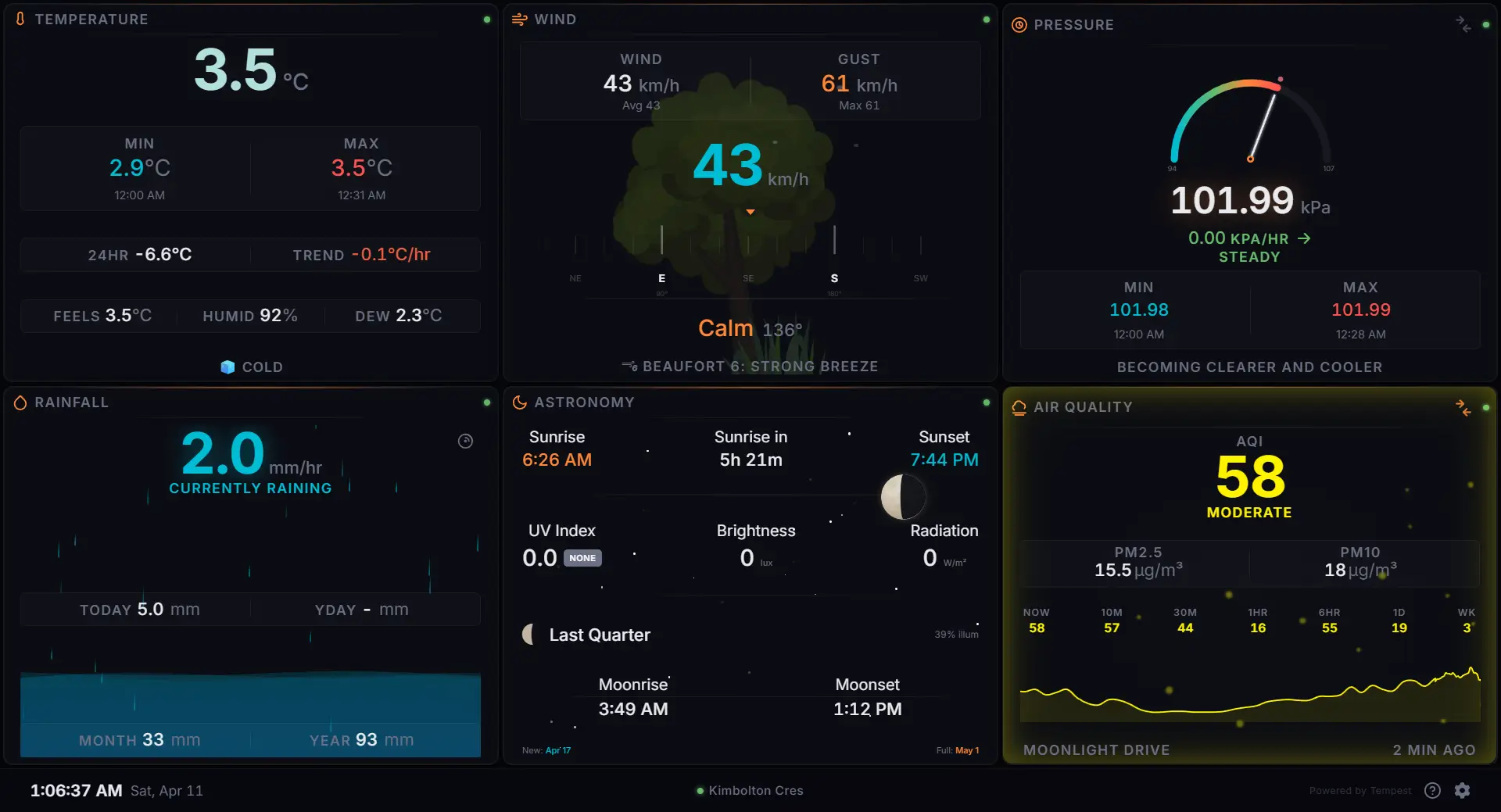
Real-time animated panels
Live WebSocket data with smooth animations. Animated rain gauge with rising water and wave effects. Wind compass with heading tape. A tree that sways with real-time wind speed. Barometer gauge with sweeping needle. Lightning bolts that flash on real strikes. Not a grid of numbers — a living dashboard.
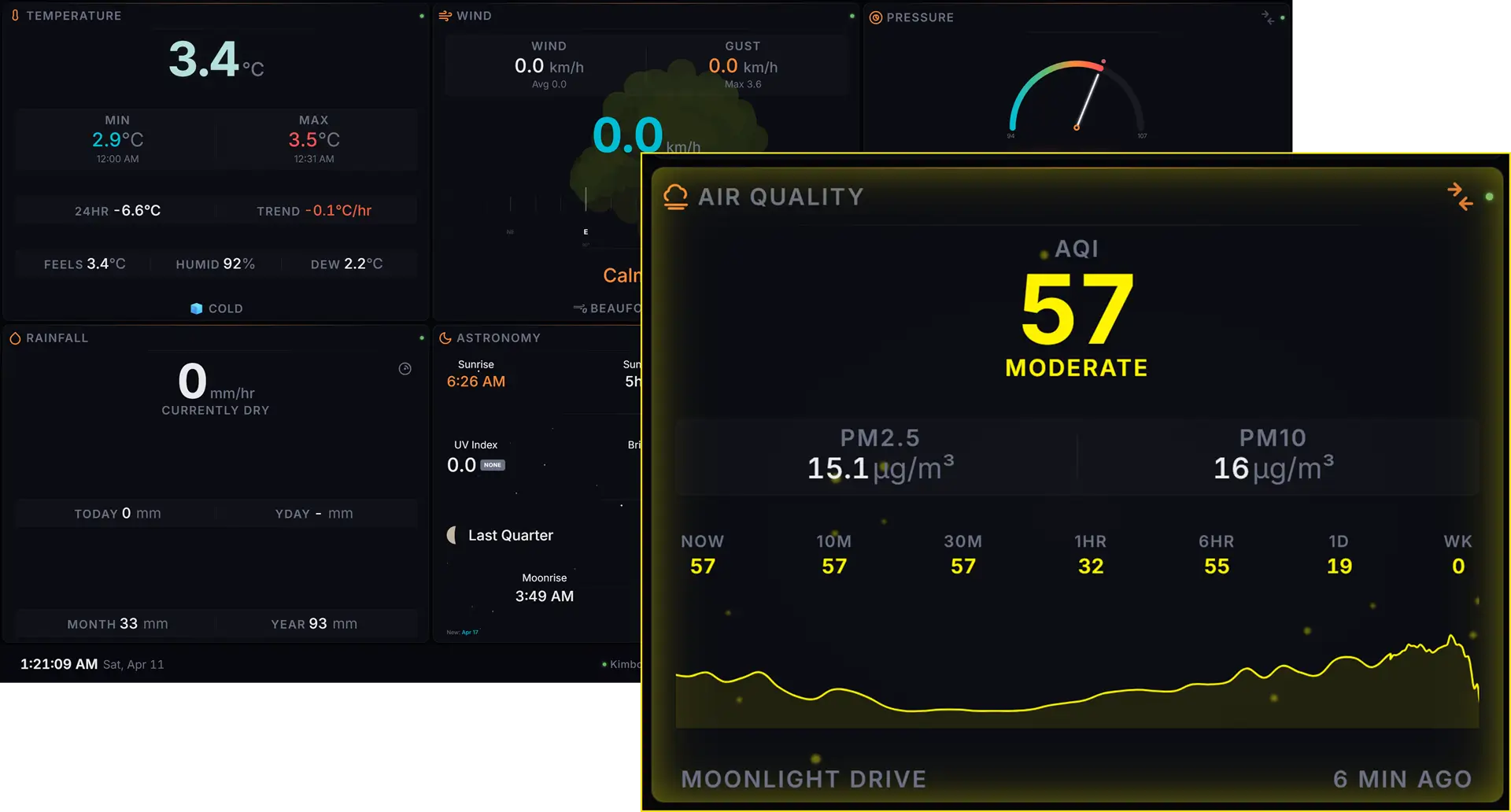
Air Quality monitoring
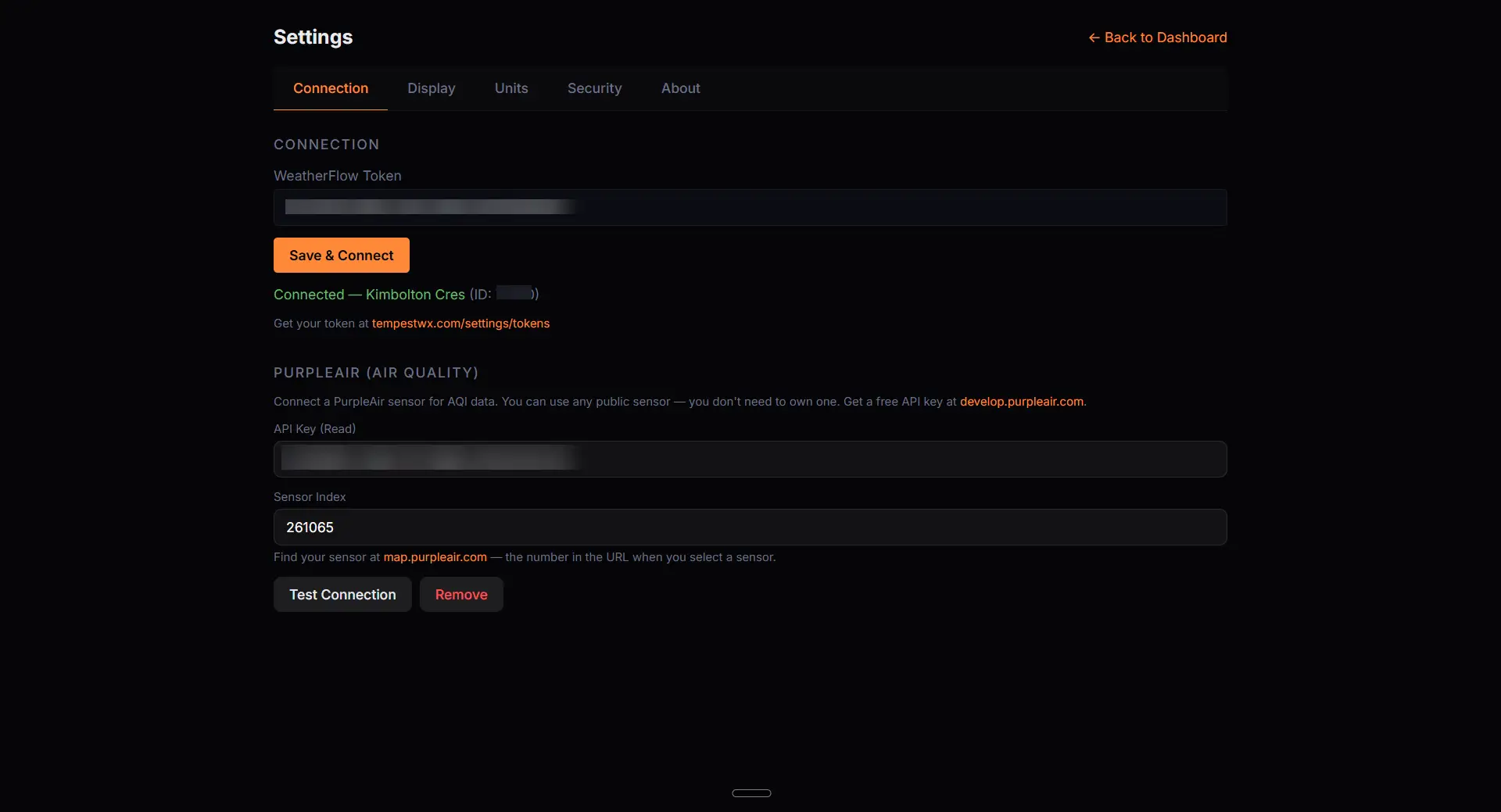
Connect any PurpleAir sensor for real-time AQI data — you don't need to own one. US EPA PM2.5 index with color-coded categories from Good to Hazardous. PM2.5 and PM10 readings, historical values across seven time windows, and a 48-hour trend sparkline. Animated particle effects that scale with air quality severity, plus an ambient glow that responds to AQI level.
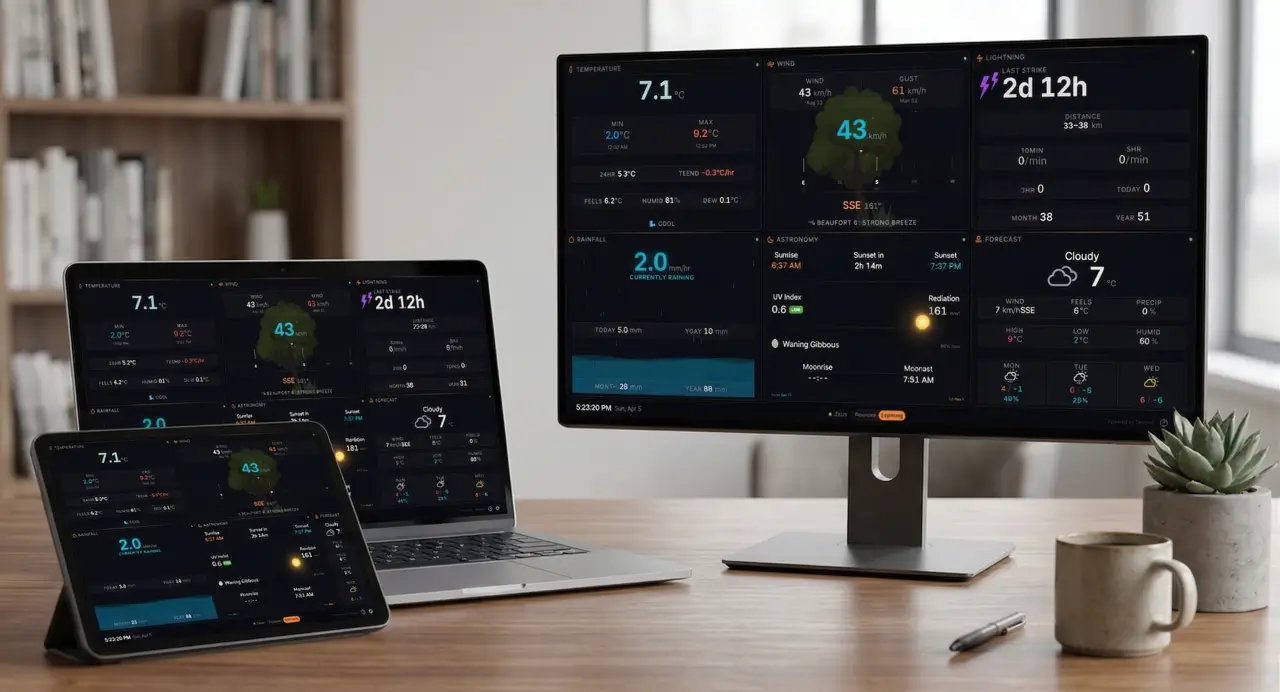
Works on any screen
From a 7-inch Raspberry Pi touchscreen to a 65-inch TV via casting, it just works. Fluid responsive with clamp()-based sizing — no breakpoints, no compromises.
Multi-station & cloud sync
Multiple Tempest stations? Switch between them instantly from the bottom bar. Settings, units, and layout sync across every device. New tablet? Enter your key and you're running.
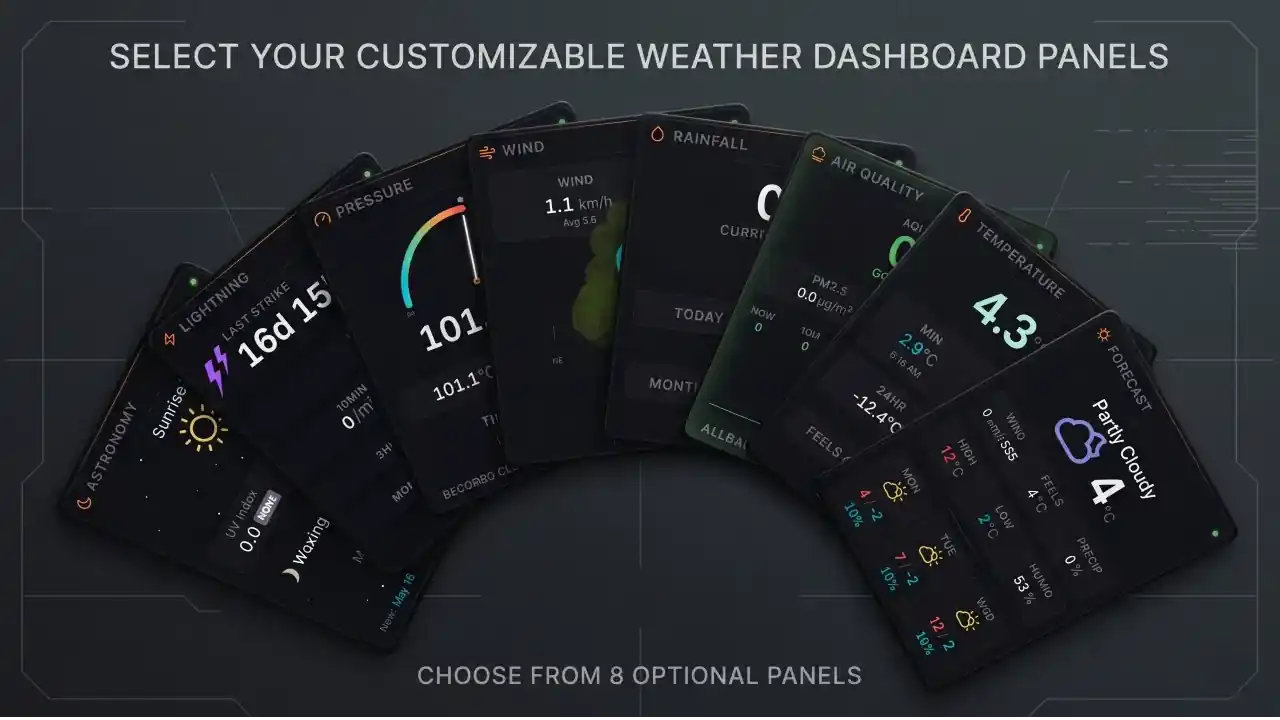
Eight data panels
Temperature (color-coded hero, min/max, feels-like, 24hr diff), Wind (speed/gust, HUD heading tape, Beaufort scale), Barometer (SVG arc gauge, trend), Rainfall (animated beaker, rate, accumulation), Lightning (distance, counts), Forecast (3-day cards), Air Quality (real-time AQI from PurpleAir), and Astronomy — a sun transit arc that tracks the sun across the sky in real time, switching to a starfield with moon phase and rise/set times at night. Assign a secondary panel to any slot and set a rotation timer — or swap manually with a tap.
Live precipitation radar
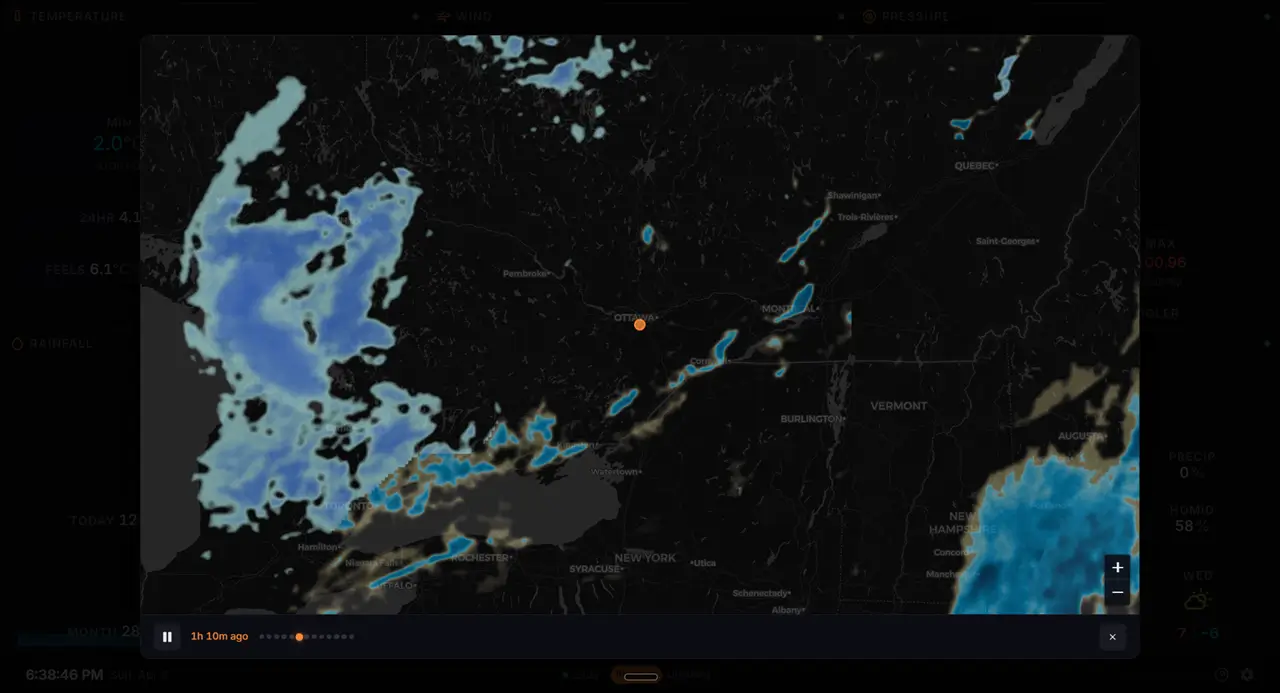
Interactive radar map centered on your station. Animated precipitation overlay shows what's coming your way — no app switching required.
Weather alerts, front and centre
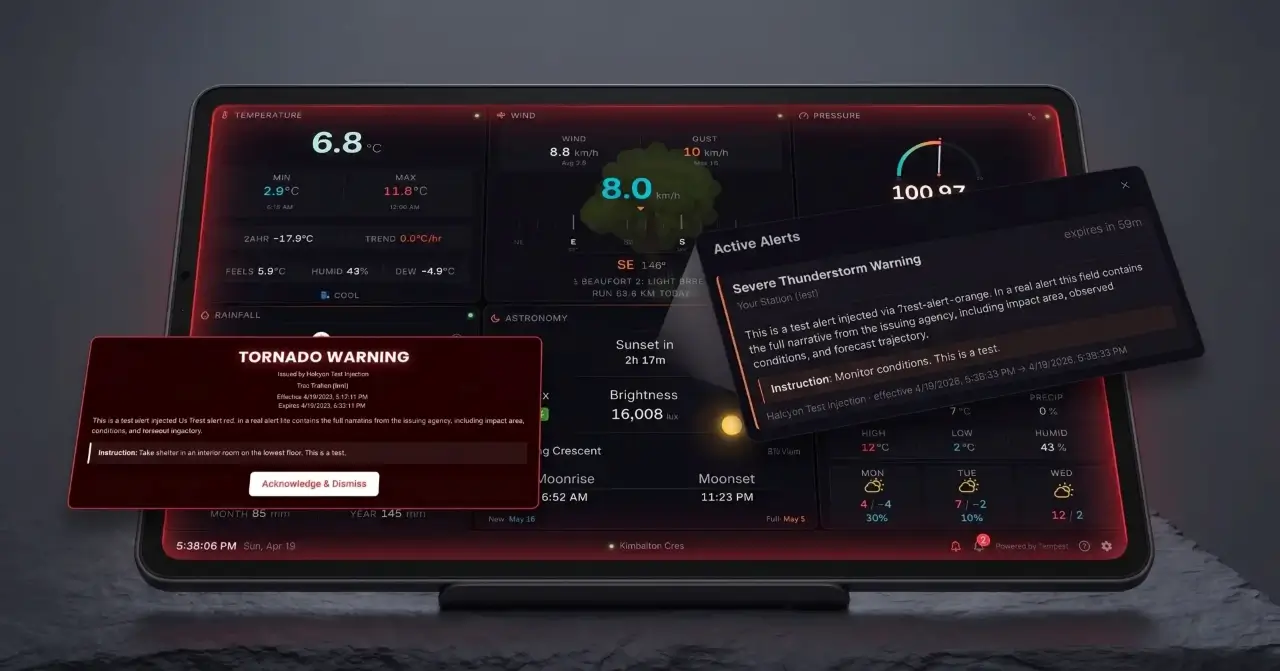
Real-time active alerts from the US National Weather Service and Environment Canada, filtered to your station's location. A bell icon in the bottom bar shows the live count. The dashboard's border pulses in tier colours so you notice from across the room, and critical red-tier alerts trigger a full-screen takeover with an attention tone. Four severity tiers match ECCC conventions — red, orange, yellow, grey — each toggleable in Settings so the noisier advisories don't drown out the real warnings.
How Halcyon compares
| Feature | Stock Tempest App | PiConsole | Grafana Stack | Halcyon |
|---|---|---|---|---|
| Animated panels | ✗ | ✓ | ✗ | ✓ |
| Live precipitation radar | ✓ | ✗ | ✗ | ✓ |
| Air Quality (PurpleAir) | ✗ | ✗ | ✗ | ✓ |
| Zero setup | ✓ | ✗ | ✗ | ✓ |
| Cloud-synced config | ✗ | ✗ | ✗ | ✓ |
| No hardware required | ✓ | ✗ | ✗ | ✓ |
| Weather alerts | US | ✗ | ✗ | US / CA |
| Manual or timer panel rotation | ✗ | Manual | ✗ | Manual + timer |
| Cost | Free | Free + Pi (~$85) | Free + server (~$5–15/mo) | $11.99/yr |
Simple, transparent pricing
Halcyon Dashboard
Launch special — 20% off
Less than $1/month — 7-day free trial
- 7-day free trial
- All 8 panels
- PurpleAir air quality integration
- Weather alerts (NWS + Environment Canada)
- Real-time WebSocket data
- Animated visualizations
- Multi-station support
- Cloud-synced settings
- Works on any device
- Imperial & metric units
- Automatic updates
No charge for 7 days. Cancel anytime. Your Tempest token stays in your browser — we never touch your weather data.
Halcyon is a product of DAB Worx Inc.
Frequently asked questions
What do I need to use Halcyon?
Is my data private?
What devices does it work on?
Can I use it on multiple devices?
What if WeatherFlow changes their API?
Can I cancel?
Can I install it as a desktop app?
What happens when my free trial ends?
What data does the dashboard show?
Is Halcyon the same as PiConsole?
Can I use Halcyon with multiple Tempest stations?
Does Halcyon work with WeatherFlow Tempest?
Why isn't Halcyon free like other Tempest apps?
About Halcyon
Halcyon owes a debt to WeatherFlow PiConsole by Peter Davis — it set the bar for what a Tempest dashboard should look like, and many of the fields we surface follow its lead. We ran it for years on a Raspberry Pi and loved it. What we wanted was the same experience without the hardware to maintain, so we built a hosted web version: open a URL, it works, no Pi, no SD card, no updates.
The goal was simple: a beautiful, always-on Tempest dashboard that works on any screen, updates itself, and doesn't require babysitting a Pi. Real-time WebSocket data with smooth animations, not a static grid of numbers. Something you'd actually want mounted on your wall.
Halcyon is built with modern web technology — Svelte 5, Tailwind CSS, and secure global hosting. Live weather data streams from WeatherFlow directly to your browser — we never proxy it. Your settings, token, and (optionally) historical observations are stored encrypted with your account so the dashboard follows you across devices.
It's made by DAB Worx Inc., a small shop that builds tools we want to use ourselves. If you have a WeatherFlow Tempest station and you've been looking for a better way to display your data, Halcyon was built for you.